Typing Test
typing speed test
The typing speed test: common words to type for 30 or 60 seconds, and at the end your words per minute and your accuracy, counted the way every test counts them. The clock starts at your first key, the words follow the language of the site, and it works with a phone keyboard too.
Play Typing TestHow to play
The goal is to type as many words correctly as you can in the time you picked, 30 or 60 seconds. The clock starts at your first key. Type the highlighted word and press Space to move on: a finished word cannot be changed, and Backspace only corrects the word you are on. Right letters turn light, wrong ones red. Upper and lower case count the same. The result is in words per minute: five characters, spaces included, count as one word, and only words typed exactly count. You also get the raw speed, which counts everything you typed, and your accuracy, the share of keys you got right. Your best is saved for each length. Esc or Tab start over, Enter goes again after the result. On a phone, tap the text to open the keyboard.
How it works
Typing Test measures how fast and how well you type. Lines of common words appear on the screen: type the highlighted one, press Space and move to the next. You get 30 or 60 seconds, your choice, and the clock only starts when you press the first key, so you can read the first line at your own pace.
As you type, every right letter turns light and every wrong one turns red. A word closed with Space cannot be changed any more: Backspace only corrects the word you are on.
How to read the result
At the end the test gives you three numbers.
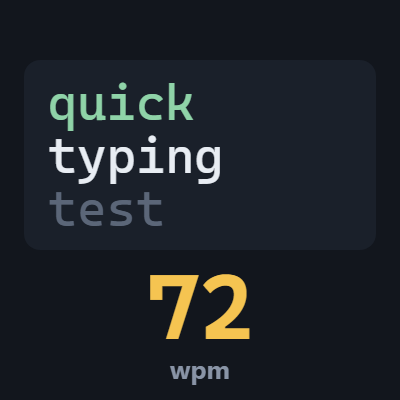
- Words per minute (wpm). The number every speed test uses, worked out the same way: five characters count as one word, spaces included, and only words typed exactly right count. That makes your result comparable with any other test.
- Raw speed. Counts everything you typed, wrong words too. If it is much higher than your words per minute, you are going faster than you can control.
- Accuracy. The share of keys you got right out of all the keys you pressed.
The game remembers your best for each length, saved in your browser.
How fast is fast? Someone who rarely types sits between 20 and 30 words a minute. People who use a keyboard every day are often between 40 and 60. Above 80 is genuinely fast, and above 100 you are among the quickest.
The words
They are common words in English or Italian, following the language you chose on the site, and they change with every test. Upper and lower case count the same.
On a phone
Tap the text and your phone's keyboard opens. The words stay in the top half of the screen, so the keyboard never covers them. Everyone types more slowly on a phone than on a real keyboard, so a lower result is normal: compare it with your phone records.
Controls
- Space closes the word and moves to the next.
- Backspace corrects the word you are typing.
- Esc or Tab start over with new words.
- Enter runs the test again after the result.
If you switch tabs during a test, the clock stops, and it starts again when you carry on typing.
How to actually get faster
Look at the screen, not your hands. It makes the biggest difference of all: as long as you check the keys, every word costs an extra glance.
Go for accuracy first. A mistake costs more time than a slow letter, because the wrong word does not count. If your accuracy is under 95%, slow down a little: speed follows.
Read one word ahead. While your fingers finish a word, your eyes should already be on the next one. That is why the test always shows the line that comes next.
Do many short tests. A few thirty-second tests a day teach more than a long one now and then.
Frequently asked questions
Is it free? Yes. It plays in your browser, with no signup and nothing to download.
Can I compare my result with other tests? Yes: words per minute are worked out the standard way, five characters per word, counting only the right ones.
Does it work on a phone? Yes, with your phone's keyboard.
Can I choose the language of the words? The words follow the language of the site: change it with the IT/EN button at the top.
More games

Also available in: Italiano