Minesweeper
logic puzzle
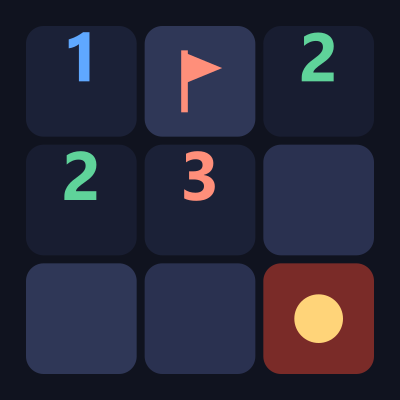
Classic minesweeper. Each number says how many mines touch that square, and from there the field can be deduced rather than guessed. The first tap is never a mine. Three field sizes, and a clock that runs.
Play MinesweeperHow to play
Touch: tap to reveal, hold to place a flag. The flag button at the top swaps the two gestures if you prefer. Mouse: left reveals, right flags, and clicking a number that already has its flags reveals everything around it. Keyboard: arrows move the cursor, Space reveals, F flags, N starts a new game.
The rules, in full
The field is a grid of covered squares, and some of them hide mines. The goal is to uncover every square that is not a mine. You do not have to flag the mines to win: the moment the last safe square opens, the field is cleared and the remaining mines are flagged for you.
The button at the top left cycles through three field sizes. Changing size starts a new game, and your choice is remembered.
- Small is 9 by 9 with 10 mines.
- Medium is 12 columns by 16 rows with 30 mines.
- Large is 14 columns by 20 rows with 55 mines.
The rest works the way it always has:
- A number tells you how many mines touch that square, counting all eight neighbours, diagonals included.
- A square with no mines around it opens its neighbours by itself, and the opening spreads until it reaches numbers.
- Your first square is always safe, and so are the eight around it. The mines are not placed until that first reveal, so the opening move always clears an area instead of leaving you on a lone number.
- A flag protects a square. A flagged square cannot be opened by accident until you take the flag off.
- Chording saves time. Tap or click a number that already has as many flags around it as its value, and every other square around it opens at once.
- The counter at the top shows mines minus flags, and the clock starts with your first reveal.
Scoring
- 1 point for every safe square you uncover, including the ones an opening reveals for you
- 100 points for clearing the whole field
Time and flags do not change the score, and on a loss you keep what you had opened. Your best score is saved in the browser and shared across the three sizes, so the highest scores are only possible on Large: a cleared field is worth 171 points on Small, 262 on Medium and 325 on Large.
Strategy that actually helps
Start away from the corners. The first square and its neighbours are guaranteed clear. In the middle that is nine safe squares; in a corner it is only four, so the opening is usually smaller.
Compare neighbouring numbers. Two numbers side by side often share most of their neighbours, and the squares only one of them touches are where the difference must be. Most boards are solved by comparing pairs like this.
Only flag what you are sure of. The counter trusts your flags. A wrong flag makes the count lie, and a chord on a number with a misplaced flag opens the square that really holds the mine.
Expect density to rise with size. About one square in eight is a mine on Small, one in six on Medium and one in five on Large. Deductions that feel comfortable on Small leave more forced guesses on Large.
When you must guess, guess once and early. Some boards cannot be finished by logic alone. A guess costs the same at any point, and making it before you have spent minutes on the rest wastes less.
The undo after a mine
When you step on a mine, the game may offer one undo in exchange for watching an ad, with a five-second countdown at the bottom of the screen. Accept it and the mine goes back under a flag, and the field you had worked out is yours again. It is offered at most once per game, and an ad is not always available: if none is, or you let the countdown run out, the game ends as it normally would. It is a bonus you lose nothing by ignoring.
The daily challenge and the holidays
There is also a daily challenge: one medium field, the same for everyone, starting from a square already open and solvable without a single guess. For the holidays Minesweeper dresses up for Halloween and for Christmas, with the same rules as ever.
A little history
The version of this game most people know is Microsoft's. It first appeared in a Microsoft Entertainment Pack in 1990 and then shipped with Windows 3.1 in 1992, which put it on a very large share of the world's office computers. It is often said that, like Solitaire, it helped a generation get used to the mouse, in this case to the right button. For a period, Italian versions of Windows called it Prato fiorito and could show flowers instead of mines.
Common questions
Is it free? Yes. It runs in your browser, with no signup and nothing to download.
Does it work on a phone? Yes. Tap to open a square and hold to flag it, or switch the button at the top right if you would rather flag with a tap. It works in portrait and landscape.
Can I install it? Yes. Bananai can be installed as an app from the browser, and a game you have already opened usually keeps working when the connection drops.
More games
Also available in: Italiano, Español, Français, Português, Deutsch, Polski, Türkçe, Bahasa Indonesia, Nederlands, Română, Čeština