Chess
chess against the computer
Chess against the computer, with every rule in it: castling, en passant, promotion to the piece you choose, and the draws by repetition, stalemate and the fifty-move rule. Play White or Black, five levels from beginner to hard, with no account and no download.
Play ChessHow to play
Touch: tap one of your pieces to see where it can go, then tap the square, or drag the piece there. When a pawn reaches the last rank, choose what it becomes. Mouse: the same. Keyboard: N starts a new game, 1 to 5 choose the level. The button beside the level chooses White or Black.
The rules, in full
Chess is played on an eight-by-eight board between White and Black. Each side starts with sixteen pieces: a king, a queen, two rooks, two bishops, two knights and eight pawns. The board is set so that each player has a light square in the right-hand corner, and the queen starts on the square of her own colour. White always moves first.
- The king moves one square in any direction.
- The queen moves any number of squares in a straight line: along a rank, a file or a diagonal.
- The rook moves any number of squares along a rank or a file.
- The bishop moves any number of squares diagonally, so it stays on squares of one colour all game.
- The knight jumps in an L: two squares one way and one to the side. It is the only piece that jumps over others.
- The pawn moves one square straight forward, or two from its starting square, and captures one square diagonally forward. It never moves backwards.
No piece but the knight may pass over another. A piece captures by moving onto a square held by an enemy piece, which leaves the board.
The special moves
Castling. Once a game, the king may move two squares towards one of its rooks, and that rook jumps to the square the king crossed. It is allowed only if neither the king nor that rook has moved yet, every square between them is empty, and the king is not in check, does not cross a square attacked by the enemy, and does not end in check. In the game you castle by moving the king two squares; the rook follows by itself.
En passant. When a pawn advances two squares and lands beside an enemy pawn, that pawn may capture it as if it had moved only one, by stepping diagonally onto the square it skipped. The chance lasts one move only.
Promotion. A pawn that reaches the last rank becomes a queen, rook, bishop or knight, chosen by its player. Here the game shows the four pieces and you tap the one you want. A queen is almost always right, but a knight sometimes gives check where a queen would not, and a rook or bishop can avoid a stalemate.
Check, checkmate and the draws
A king attacked by an enemy piece is in check, and the player must get it out at once: by moving the king, capturing the attacker, or putting a piece between them. A move that leaves your own king in check is not legal, and the game does not offer it.
Checkmate is a check with no way out, and it ends the game: the side that gives it wins. The game also ends in a draw, and declares it by itself, in these cases:
- Stalemate: the player to move is not in check but has no legal move.
- Repetition: the same position has occurred three times, with the same player to move and the same moves available.
- The fifty-move rule: fifty moves by each side have gone by with no capture and no pawn moved.
- Insufficient material: neither side can ever give mate, as with king against king, king and one bishop or knight against king, or bishops all on squares of one colour.
In a tournament a player claims the repetition and the fifty moves; here the game declares them as soon as they happen.
How to start: the openings
Three ideas carry a beginner further than any memorised line.
- Take the centre. Pawns and pieces aimed at e4, d4, e5 and d5 control the middle, where every piece is strongest.
- Develop the pieces. Knights and bishops out early, usually knights first. Moving the same piece twice in the opening, or bringing the queen out early where it can be chased, costs time.
- Castle early. The king is safer behind its pawns, and castling brings a rook towards the centre.
Some openings worth knowing by name:
- Italian Game: 1.e4 e5 2.Nf3 Nc6 3.Bc4. The bishop aims at f7, the weakest square near Black's king. Calm and easy to play.
- Ruy Lopez, or Spanish Game: 1.e4 e5 2.Nf3 Nc6 3.Bb5. The bishop presses on the knight that defends e5. One of the oldest and most studied.
- Sicilian Defence: 1.e4 c5. Black fights for the centre from the side and the game turns unbalanced at once. The most played answer to 1.e4.
- French Defence: 1.e4 e6 and 2...d5. Solid, with a pawn chain to attack later.
- Queen's Gambit: 1.d4 d5 2.c4. White offers a pawn to pull Black's from the centre; taking it is allowed, keeping it is hard.
- London System: 1.d4 and an early Bf4, the same setup against almost everything. Popular with players who prefer plans to memory.
How to finish: the endings
Many games are won in the ending, when few pieces are left. Three to know:
King and queen against king. Use the queen to push the lone king towards an edge, a knight's move away from it, then bring your own king close and mate on the edge. Every time you move the queen, check that the enemy king still has a move: if it has none and is not in check, it is stalemate.
King and rook against king. The same plan, more slowly. The rook cuts the king off along a rank or file, your king walks up to face it, and the rook gives mate on the edge.
King and pawn against king. Here the kings matter more than the pawn. Your king should walk in front of the pawn rather than behind it. When the two kings face each other with one square between them, the side to move has to give way. The king that does not have to move holds the opposition, and having it often decides whether the pawn promotes or the game is drawn. If your king is too far, count the square of the pawn: if the enemy king can step into the square whose side runs from the pawn to its promotion rank, it catches the pawn.
In the endgame the king becomes a fighting piece: bring it to the centre.
Playing against the computer
You always play against the computer, on a PC or a phone. There are five levels: Beginner, Easy, Steady, Strong and Hard. Tap the level button to cycle through them, or press 1 to 5. The game starts on Easy and remembers your choice. Higher levels look further ahead, and the lower ones sometimes pick a move a little worse than the best on purpose, so you can catch their mistakes.
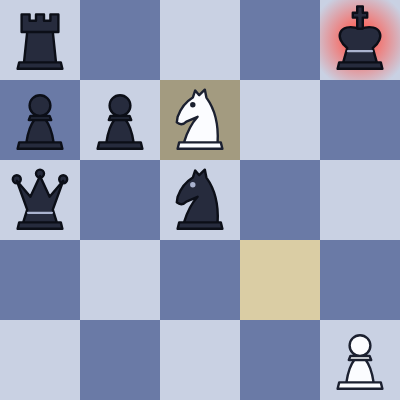
The button beside the level chooses White or Black. With Black the board turns around and the computer opens. The last move stays shaded, a king in check is marked, and a number such as +3 or -1 shows whether you are ahead or behind in material, counting a pawn as 1, a knight or bishop as 3, a rook as 5 and a queen as 9. N or the New game button starts again. There is no undo.
A little history
Chess grew from a game played in India around the sixth century, passed through Persia and the Arab world and reached Europe around the year 1000. The rules as we play them, with the long-range queen and bishop, settled in Spain and Italy at the end of the fifteenth century. Castling, en passant and the draw rules were fixed later, and today they are written in the Laws of Chess of FIDE, the international federation. If you want a tutor that names the opening and explains each move, try Chess Tutor.
Common questions
Is it free? Yes. It runs in your browser, with no signup and nothing to download.
Does it work on a phone? Yes. Tap a piece to see where it can go, then tap the square, or drag it. It works in portrait and landscape.
Can I play against a friend? Not in this game: it is always you against the computer.
Why can't I move that piece? Either it is not your turn, the move would leave your king in check, or your king is in check and that move does not end it. Only legal squares are marked when you tap a piece.
More games
Also available in: Italiano, Español, Français, Português, Deutsch, Polski, Türkçe, Bahasa Indonesia, Nederlands, Română, Čeština, Svenska, Dansk, Norsk, Suomi, Magyar, Slovenčina, Tiếng Việt, Bahasa Melayu, Русский, Українська, Srpski, Български, Ελληνικά, Oʻzbekcha, 简体中文, 日本語, العربية, עברית, فارسی, हिन्दी, বাংলা, ไทย, 한국어, Filipino